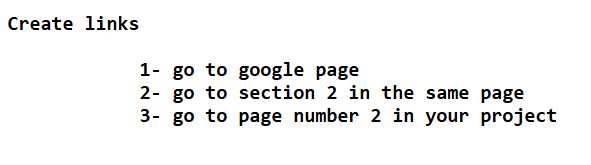
In HTML, an anchor is created using the <a></a> tag and is used to Create hyperlinks (link to another page, section, file, or website) , Create anchors within the same page to jump to a specific section.
The cases of anchor :
<a href = "https://www.example.com" target = "_blank" >Visit Example</a>
anchor has two element attributes & clickable text
Note: we type element attributes in opening tag

| Tag | Description | Example |
| <b></b> | just bold for styling | Welcome |
| <strong></strong> | usually displayed in bold and semantically important | Welcome |
| <u></u> | This is underlined text | Welcome |
| <i></i> | This is italic text | Welcome |
| <em></em> | This is emphasized text — semantic emphasis, usually italic. | Welcome |
| <mark></mark> | This is highlighted/marked text | Welcome |
| <small></small> | This is small text | Welcome |
| <del></del> | used to represent deleted text | |
| <sup></sup> | It is used to display text slightly above the normal line of text, often in a smaller font. | 52 |
| <sub></sub> | It is used to display text slightly below the normal line, often in a smaller font. | H2O |
In HTML, Nesting refers to placing one HTML element inside another. This is how you build a structured, hierarchical layout for web pages.
<p>This is a <strong>nested </strong> element. </p>
< ol ></ol> orderd List
<li></li> List item
ol and li are block element
            <ol>
              <li>list item1</li>
              <li>list item2</li>
              <li>list item3</li>
            </ol>
<ul></ul> Unorderd List
<li></li> List item
ul and li are block element
            <ul>
              <li>list item1</li>
              <li>list item2</li>
              <li>list item3</li>
            </ul>
<dl></dl> Description List
<dt></dt> Description Term
ul and li are block element
            <dl>
              <dt>list item1</dt>
              <dt>list item2</dt>
              <dt>list item3</dt>
            </dl>
list item1
list item2
list item3
Usually used UL tag in header part to create a navigation bar

The <img> tag in HTML is used to display an image on a webpage.

In HTML, the <table> element is used to create a table for displaying tabular data (data arranged in rows and columns).
              <table border="1">

                  <thead>
                    <tr>
                      <th>Header 1</th>
                      <th>Header 2</th>
                    </tr>
                  </thead>

                  <tbody>
                    <tr>
                      <td>Data 1</td>
                      <td>Data 2</td>
                    </tr>
                    <tr>
                      <td>Data 3</td>
                      <td>Data 4</td>
                    </tr>
                    <tr>
                      <td>Data 5</td>
                      <td>Data 6</td>
                    </tr>
                    <tr>
                      <td>Data 7</td>
                      <td>Data 8</td>
                    </tr>
                  </tbody>

                  <tfoot>
                      <tr>
                        <td>foot1</td>
                        <td>foot2</td>
                      </tr>
                  </tfoot>
              </table>
| Header 1 | Header 2 |
|---|---|
| Data 1 | Data 2 |
| Data 3 | Data 4 |
| Data 5 | Data 6 |
| Data 7 | Data 8 |
| foot1 | foot2 |
            <table border="1">
              <tr>
                <th colspan="3">Merged Column Header</th>
              </tr>
              <tr>
                <td>Cell 1</td>
                <td>Cell 2</td>
                <td>Cell 3</td>
              </tr>
            </table>
| Merged Column Header | ||
|---|---|---|
| Cell 1 | Cell 2 | Cell 3 |
            <table border="1">
                  <tr>
                    <th>Name</th>
                    <th>Score</th>
                  </tr>
                  <tr>
                    <td rowspan ="2" >Ahmed</td>
                    <td>85</td>
                  </tr>
                  <tr>
                    <td>90</td>
                  </tr>
                </table>
| Name | Score |
|---|---|
| Ahmed | 85 |
| 90 |
The <div> tag stands for "division" and is a block-level container element used to group other HTML elements together for styling or layout purposes.
                <div class = "test">
                  <h3>Frontend Courses :</h3>
                    <ul>
                      <li>HTML</li>
                      <li>CSS</li>
                      <li>JS</li>
                    </ul>
                </div>
In HTML, the <span> tag is an inline container used to mark up a part of a text or a document. It does not have any visual effect by default, but it's commonly used with CSS or JavaScript to apply styles or manipulate parts of the content.
Lorem ipsum dolor sit amet, consectetur adipisicing elit. acilis amet vitae illo eveniet. Excepturi dolore <span id = "x" > dicta aliquid vitae minus </span> ea temporibus pariatur culpa molestiae ex? <span id = "y" >Explicabo</span>, maiores consectetur.
            #x {
              color : red;
            }

            #y {
              color : green;
            }
Note : If you apply a CSS rule targeting the <span> tag directly (without a class or ID), it will affect all <span> elements on the page.